Parley
Open source · MIT · Linux

Meeting notes that never leave your machine

Parley records your calls, transcribes them live and writes the summary, the decisions and the action items. All of it runs on your own computer: no cloud, no account, no telemetry.

Works with any meeting app: Meet, Zoom, Teams, Slack huddles or a phone on speaker.
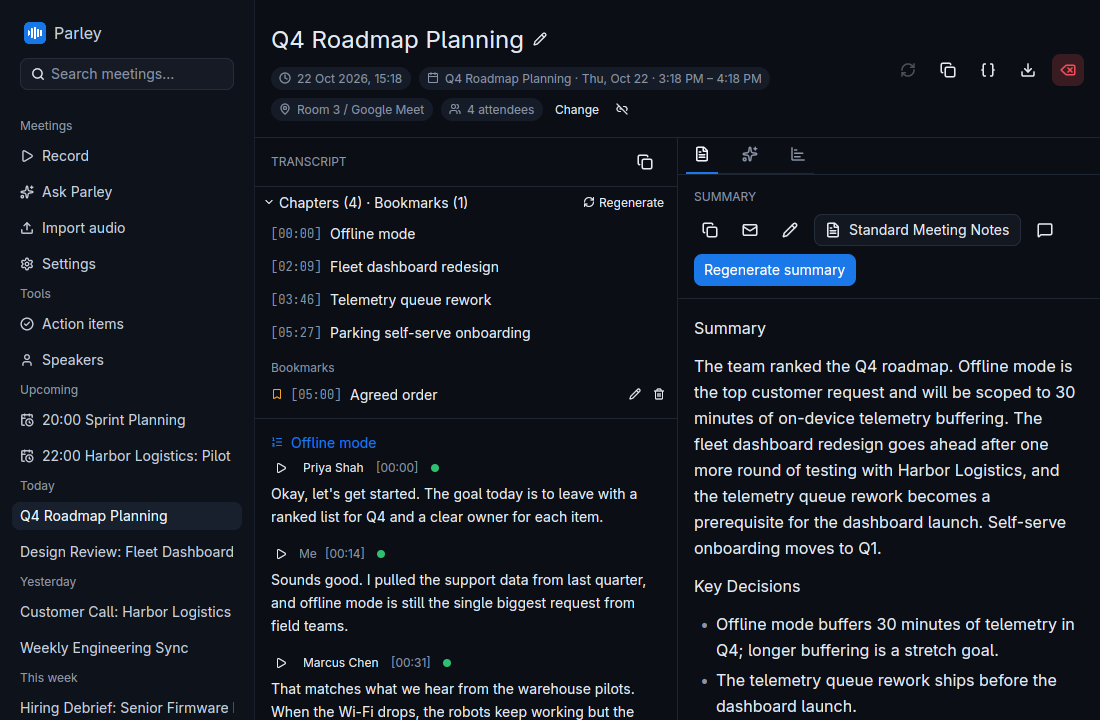
Parley showing a meeting: chapters and transcript on the left, an AI summary with key decisions on the right

Private by design, not by setting

There is no Parley server to send anything to. Audio, transcripts, summaries and voice profiles live in a folder on your disk.

Runs on your device

Transcription, speaker recognition and the built-in summary models all run locally, with GPU acceleration on NVIDIA, AMD and Intel.

No telemetry

No analytics, no crash reporting, no phone-home. Logs are written to your own disk and nowhere else.

Your choice of AI

Use the bundled local model or your own Ollama server. A cloud provider is only used if you add its key yourself.

Open source, for good

MIT licensed with no paid tier and no upsell. Read the code, build it yourself, fork it.

Record

One click, both sides of the call

Parley captures your microphone and the call audio straight from PipeWire. There's no virtual device to set up, and it doesn't need to join the meeting.

  • Live transcript as people speak, with Whisper or Parakeet
  • Echo cancellation and noise suppression for laptop speakers
  • Your voice and theirs stay on separate channels
  • Upcoming events from your calendar, one click to start
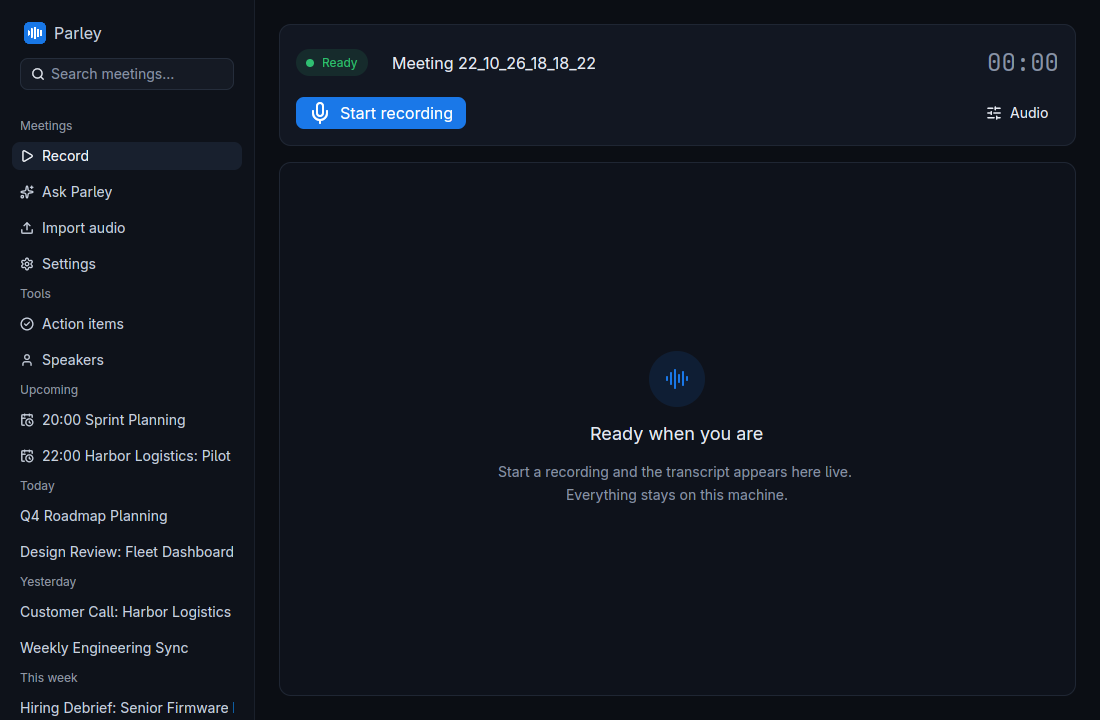
The Record page with microphone and system audio sources and upcoming calendar events
Review

The meeting, already written up

When you stop, Parley writes a summary from a template of your choice, splits the transcript into chapters and pulls out what was decided.

  • Templates for stand-ups, client calls, retros and more
  • Click any line to hear that moment again
  • Bookmarks, notes and talk-time insights
  • Export to Markdown, PDF, Word, JSON or subtitles
A meeting's transcript with chapters and the generated summary
Ask

Ask across every meeting

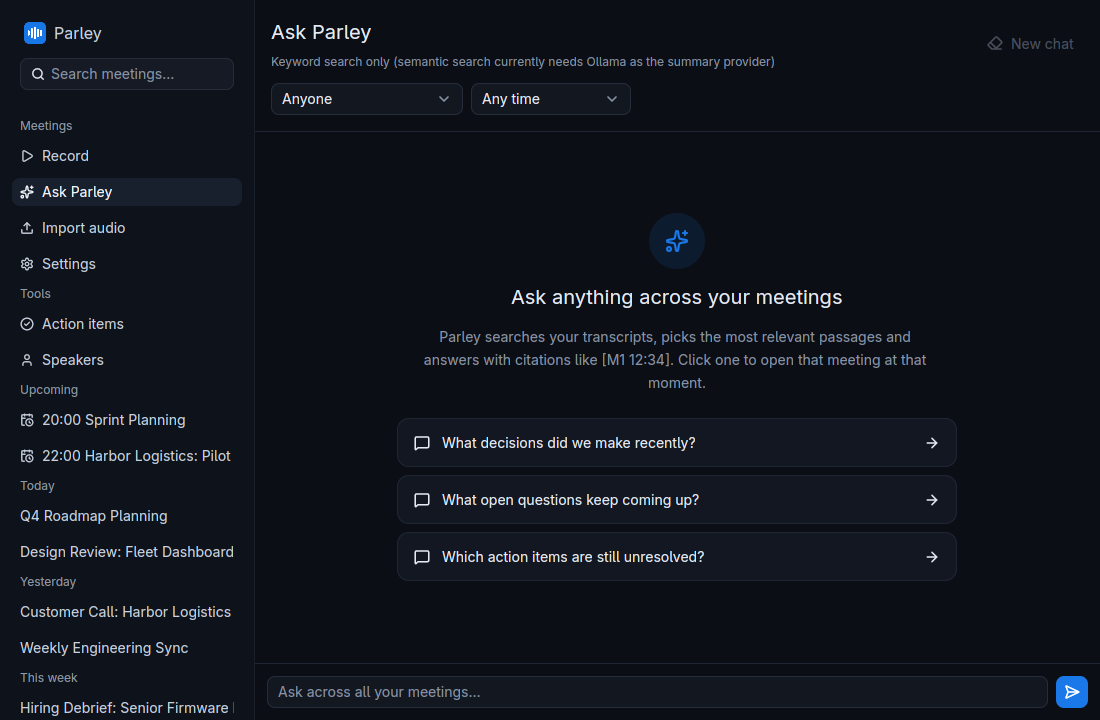
"What did we promise Harbor Logistics?" Ask Parley questions in plain language and get answers with links to the meetings they came from.

  • Searches every transcript you've recorded
  • Answers cite their sources
  • Also available to Claude and other AI tools through the bundled MCP server
The Ask Parley page with suggested questions
Follow up

Nothing falls through the cracks

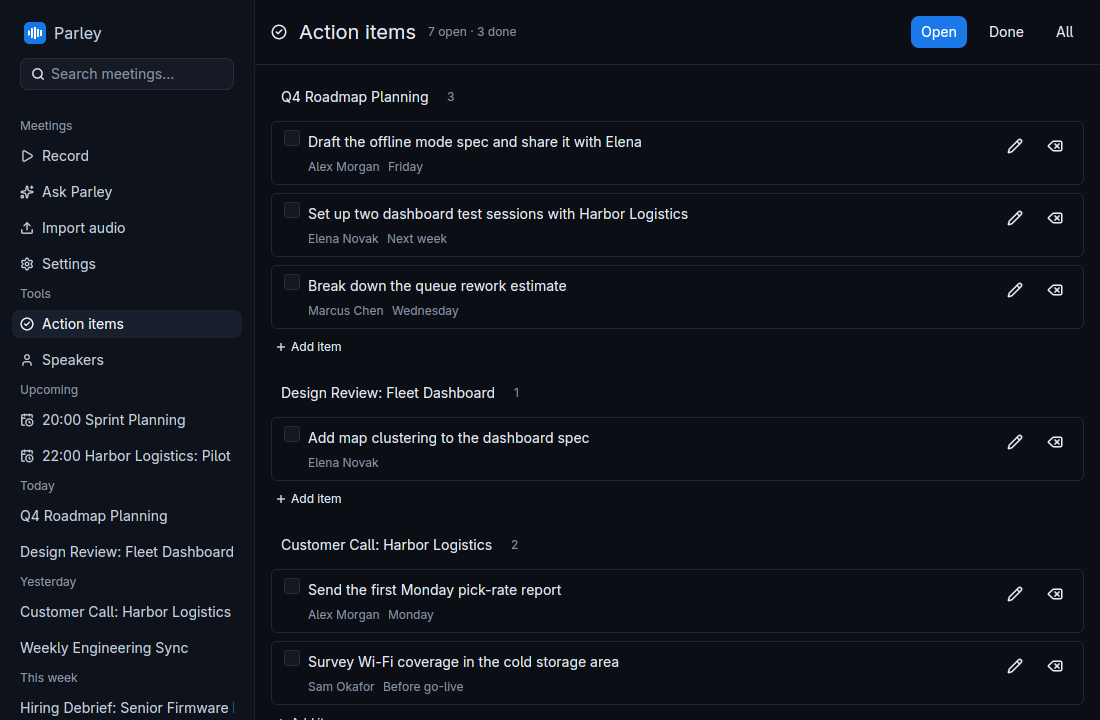
Action items are picked out of every meeting with an owner and a due date, and collected in one list you can tick off.

  • Owners and due dates taken from what was said
  • Open and done views, linked back to each meeting
  • Draft a follow-up email from any meeting
The Action items page listing open and completed tasks with owners and due dates
Speakers

Knows who said what

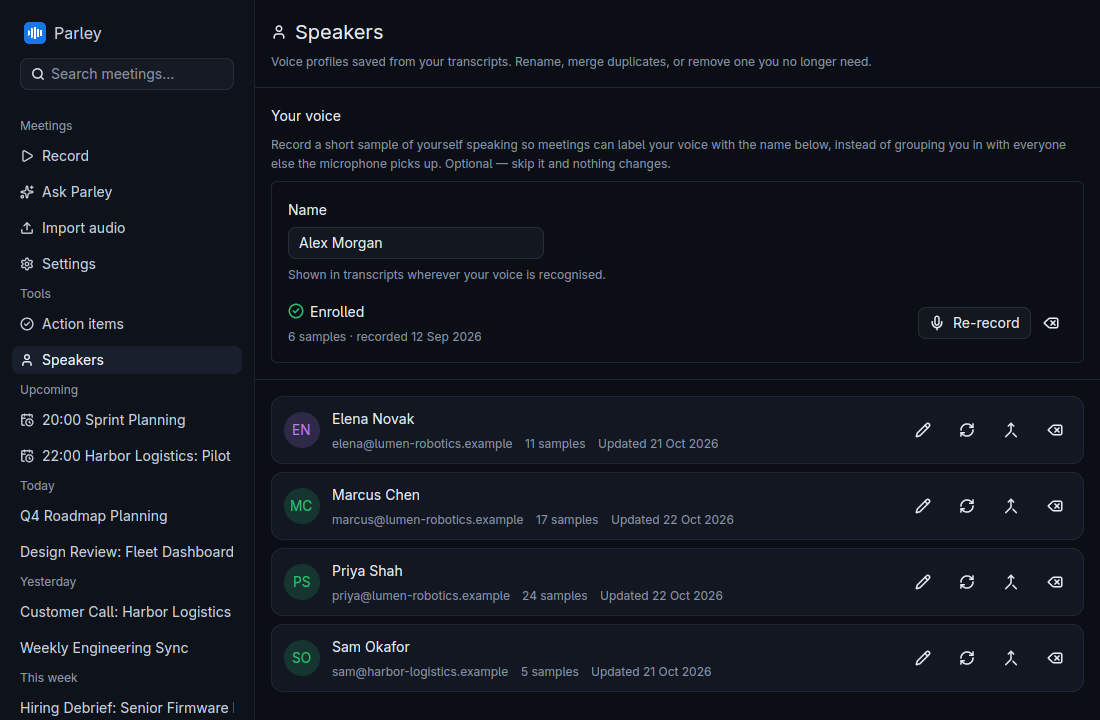
Name a voice once and Parley recognises it in future meetings. Voice profiles are stored locally, like everything else.

  • On-device speaker diarization
  • Names carried into transcripts, summaries and action items
  • Rename, merge duplicates or delete a voice at any time
The Speakers page listing known voice profiles

See it in action

A 40-second tour, shown with demo data.

Everything else you'd expect

And a few things you might not.

Import recordings

Drop in an existing audio file and get the same transcript and summary as a live meeting.

Re-transcribe

Run any past meeting again with a bigger model or a different language.

Calendar aware

Subscribe to iCal feeds. Meetings pick up their title, attendees and location automatically.

Crash safe

Audio is checkpointed as you record. If anything goes wrong, the meeting is recovered on next launch.

Native and fast

Written in Rust with GPUI, the UI framework behind the Zed editor. No browser engine inside.

Bring your own model

Summaries and answers from any of these:

Built-in (llama.cpp)OllamaClaudeGroqOpenRouterOpenAI-compatible

Get Parley

A single AppImage for Fedora, Ubuntu, Arch and most other distributions. Models download on first run.

Download

Grab Parley-*-x86_64.AppImage from the latest release, then:

chmod +x Parley-*-x86_64.AppImage
./Parley-*-x86_64.AppImage

Build from source

Needs Rust, cmake and clang. See building on Linux.

git clone https://github.com/Hankanman/Parley.git
cd Parley
./build.sh        # CUDA on NVIDIA, CPU otherwise
./build.sh vulkan # AMD / Intel GPUs